SEO
What Is SEO Friendly Website Design (And Why It Matters)?
How SEO-friendly design improves rankings, speed, and user experience

Juan Gómez
•
10 min

What Is SEO Friendly Website Design (And Why It Matters)?
SEO friendly website design is the practice of building websites that are easy for both users and search engines to navigate, understand, and index.
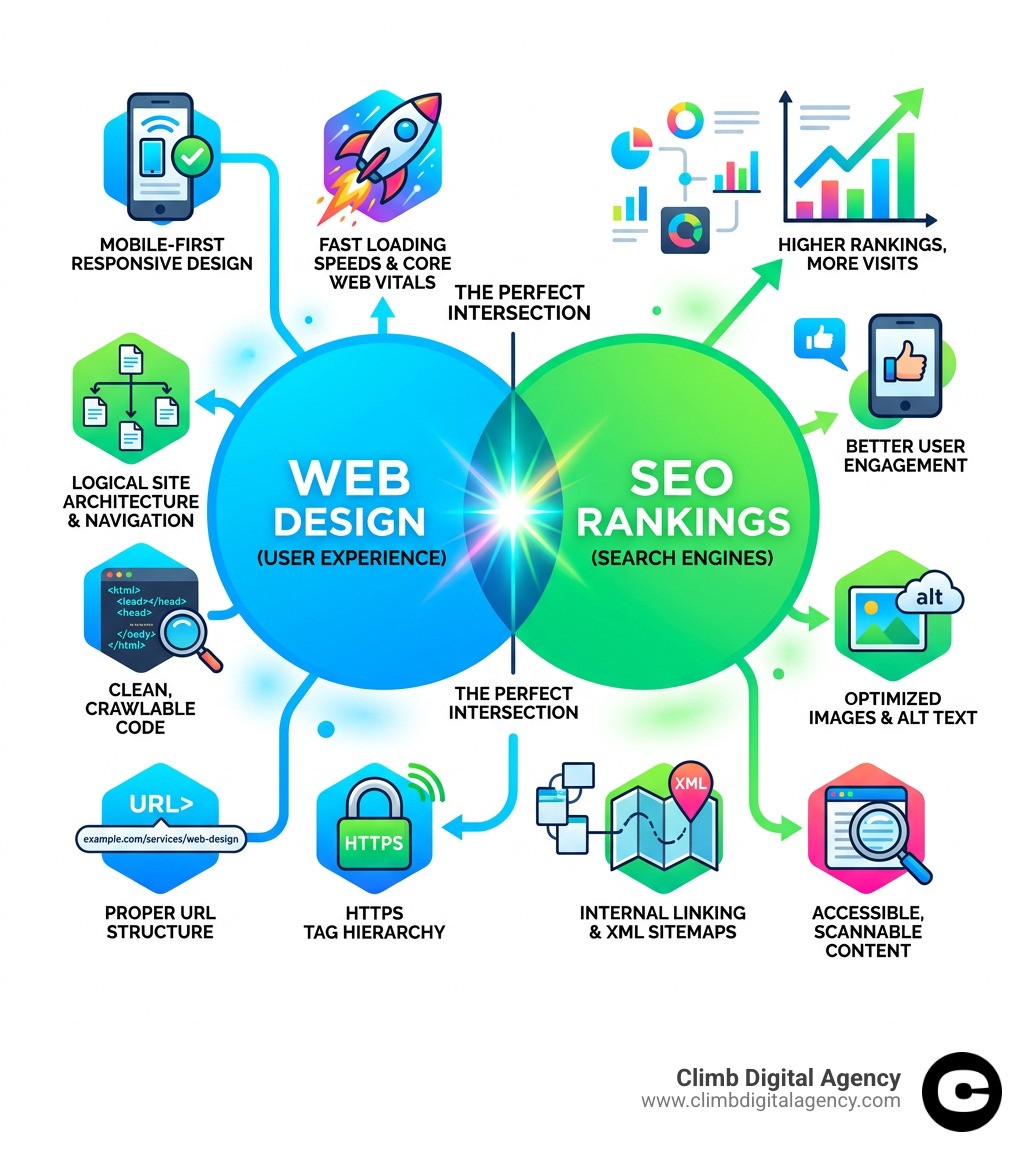
Here are the 10 essentials at a glance:
Mobile-first, responsive design
Fast loading speeds and Core Web Vitals
Logical site architecture and navigation
Clean, crawlable code
Proper URL structure
Header tag hierarchy (H1, H2, H3)
Optimized images with alt text
HTTPS security
Internal linking and XML sitemaps
Accessible, scannable content
Most small business owners build their website with one audience in mind: their customers. That makes sense. But there's a second audience you can't ignore — search engines like Google.
Google crawls your site like a visitor would. It reads your content, follows your links, checks how fast your pages load, and tests how it looks on a phone. If your design makes any of those things difficult, your rankings suffer.
The good news? A well-designed website and a well-optimized website are the same thing. Great design helps users. Great SEO helps users. They're not in conflict — they're the same goal.
"When you built your website, you likely created it with your users in mind... One of those users is a search engine." — Google SEO Starter Guide
Over 60% of all web browsing happens on mobile devices. Google crawls the mobile version of your site first. And research shows the average user reads only about 20% of the text on any given page. Your design choices have a direct impact on whether Google can find you — and whether visitors stay once they arrive.
This guide walks you through the 10 essentials your website needs to rank, convert, and grow.
Mobile-First Indexing and Performance Optimization
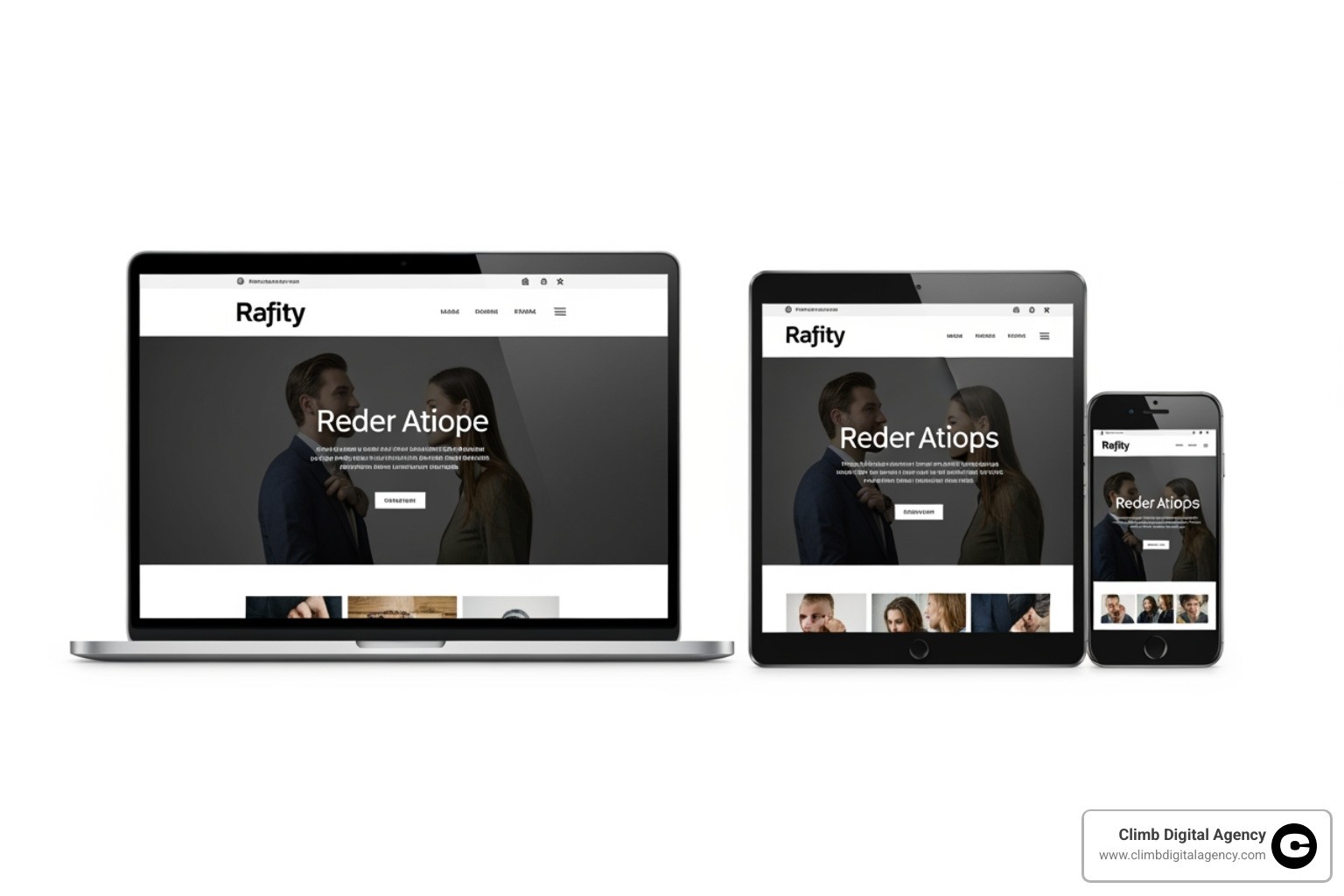
In the early days of the web, we designed for big desktop monitors and treated mobile users as an afterthought. Those days are long gone. Today, over 60% of web browsing takes place on mobile devices. Because of this shift, Google now uses mobile-first indexing. This means the search engine primarily uses the mobile version of your content for indexing and ranking.
If your website looks great on a MacBook but breaks on an iPhone, your rankings will suffer across the board. Responsive design is no longer a "nice-to-have" feature; it is a fundamental requirement for SEO friendly website design.
A truly responsive site uses fluid grids and flexible media to ensure that elements resize perfectly. We also have to consider "touch targets." Have you ever tried to click a tiny link on a smartphone only to hit the wrong button? That is a poor user experience. Google tracks these frustrations through "Mobile Usability" reports. Your buttons should be large enough to tap easily, and your text should be large enough to read without zooming.
Feature | Mobile-Friendly Design | Unresponsive Design |
|---|---|---|
Indexing | Prioritized by Google | Penalized/Lower Visibility |
User Retention | High (Easy to navigate) | Low (High bounce rates) |
Layout | Adapts to any screen | Fixed width (requires scrolling) |
Font Size | Legible (16px+) | Tiny (requires pinching/zooming) |
To tell browsers how to handle your layout, we use viewport meta tags. This snippet of code tells the browser to match the screen's width to the device's width, ensuring your content doesn't appear as a tiny, zoomed-out version of a desktop site.
Essential Basics of an SEO Friendly Website Design
Speed is the heartbeat of a successful website. Research shows that a one-second delay in load time can reduce customer satisfaction by 16%, and 53% of mobile visits are abandoned if a page takes longer than three seconds to load.
Google quantifies this through Core Web Vitals, a set of specific metrics that measure the "health" of your user experience:
Largest Contentful Paint (LCP): How long it takes for the main content to load. Aim for 2.5 seconds or less.
Cumulative Layout Shift (CLS): Does the content jump around as it loads? This should be 0.1 or less.
Interaction to Next Paint (INP): This recently replaced First Input Delay (FID) and measures how quickly your site responds when a user clicks or taps.
If you aren't sure where you stand, use Google’s PageSpeed Insights. If your score is below 70, it’s a clear sign your site needs help. To boost these numbers, we focus on technical "quick wins" like minification (removing unnecessary characters from code) and browser caching (storing parts of your site on the user's computer so they don't have to download them twice).
We also prioritize modern image formats. Traditional JPEGs and PNGs are often too heavy. Converting images to WebP format can reduce file sizes by 25-34% without losing quality, which dramatically speeds up your site.
Site Architecture and Technical SEO Foundations
Think of your website's architecture as the blueprint of a house. If the hallways lead to dead ends, your guests (and search engine crawlers) will get lost. A logical, hierarchical structure ensures that link equity—the "ranking power" passed from one page to another—flows effectively throughout your site.
At Climb Digital Agency, we follow the three-click rule: a user should be able to find any piece of information on your site within three clicks of the homepage. This keeps your "click depth" shallow and ensures that search engine bots can easily discover your most important pages. You can see this in action by exploring our Work to see how we organize complex projects into simple, navigable categories.
To help search engines even further, we use:
XML Sitemaps: A digital map that tells Google exactly which pages exist.
Robots.txt: A file that tells crawlers which areas of the site they shouldn't visit (like your login pages).
Breadcrumb Navigation: Those little "Home > Services > Web Design" links at the top of a page. They help users navigate and help Google understand the relationship between pages.
Proper URL Structure and Site Organization
Your URLs should be readable by humans, not just computers. A URL like website.com/services/seo-friendly-design is far better than website.com/p=123&id=abc.
Best practices for SEO friendly website design URLs include:
Use Hyphens: Google treats hyphens as spaces, but it treats underscores as part of a single word.
Keep it Lowercase: URLs are case-sensitive. Using uppercase can lead to duplicate content issues.
Stay Short: Aim for under 60 characters.
Folder Depth: Don't bury pages too deep (e.g.,
/blog/2024/march/tech/seo/postis too much).
If you ever need to move a page, always use 301 redirects to send users and search engines to the new location without losing your hard-earned rankings. And for those times when a page truly doesn't exist, a custom 404 page can help guide users back to your main content rather than letting them leave in frustration. You can learn more About our philosophy on user-centric design and how we prevent these technical pitfalls.
Content Structure, UX, and Accessibility
We know that skimming is in our nature. Because the average user only reads about 20% of the text on a page, your content must be structured for "scannability." This is where header tags (H1, H2, H3) become vital.
Your H1 tag is your headline and should contain your primary keyword. Think of H2s as chapter titles and H3s as sub-sections. This hierarchy doesn't just help users find what they need; it provides a "table of contents" for search engines to understand the context of your page.
User experience (UX) is now a direct ranking factor. Google evaluates engagement metrics like bounce rate (people leaving immediately) and dwell time (how long they stay). If your font is too small, your colors lack contrast, or you have too much "wall of text" without white space, users will leave. A positive user experience is the number one priority for modern search engines.
Optimizing Images and Media for Search
Images bring your site to life, but search engines are "blind"—they can't see what's in a photo unless you tell them. This is why alt tags (alternative text) are essential. Alt text describes the image for search engines and for users with visual impairments who use screen readers.
Beyond alt text, you should:
Use Descriptive Filenames: Rename
IMG_1234.jpgtoseo-friendly-web-design-guide.jpg.Lazy Loading: This tells the browser to only load images as the user scrolls down to them, saving initial load time.
Video Transcripts: 89% of consumers want to see more videos from brands, but Google needs text to index that content. Providing a transcript solves this.
In 2025, inclusive design is a competitive advantage. Following WCAG 2.0 guidelines means your site is accessible to the 15% of the world's population living with disabilities. Using ARIA labels and ensuring high color contrast helps everyone—and search engines reward accessible sites with better visibility.
Balancing Aesthetics with SEO Friendly Website Design
There is a common myth that an "SEO site" has to be ugly and text-heavy, while a "designer site" has to be slow and flashy. This is false. The most successful sites balance stunning visuals with technical rigor.
A challenge in modern design is JavaScript rendering. Many designers love using complex frameworks that create beautiful animations, but if that content isn't "rendered" properly on the server (Server-Side Rendering), Google might see a blank page. We ensure that your "technical SEO pairing" is solid from day one.
Security is another non-negotiable aesthetic. If a user sees a "Not Secure" warning in their browser because you lack an SSL certificate (HTTPS), they will leave instantly. Google has confirmed that HTTPS is a lightweight ranking signal, but more importantly, it builds the trust necessary for conversions.
Common SEO Web Design Mistakes to Avoid
Unresponsive Design: Failing to work on mobile.
Thin Content: Pages with very little text that provide no value.
Keyword Stuffing: Forcing keywords where they don't belong.
Flash or Heavy Animations: These slow down the site and are often unreadable by crawlers.
Missing Alt Text: Leaving search engines in the dark about your visuals.
Intrusive Pop-ups: Blocking the main content on mobile devices.
Measuring the Performance of Your SEO Friendly Website Design
Optimization is not a "one-and-done" project; it's a feedback loop. We use Google Search Console to track which keywords are driving traffic and to identify any "crawl errors" where Google is struggling to read your site.
We also look at conversion rates. If your site is ranking #1 but nobody is clicking your "Contact Us" button, the design isn't doing its job. By using A/B testing, we can try different layouts to see which one keeps users engaged longer and drives more leads.
Frequently Asked Questions about SEO Web Design
Does web design affect SEO rankings?
Absolutely. Search engines don't just look at your words; they look at how your site functions. If your design results in slow load times, poor mobile usability, or confusing navigation, search engines will interpret these as "low-quality signals" and rank your competitors higher. User signals like how long someone stays on your site (dwell time) are heavily influenced by your design.
How can AI and automation enhance SEO-friendly web design?
AI is a powerful tool for streamlining the optimization process. We use AI for automated audits to find broken links or missing meta tags instantly. AI-driven tools can also help generate schema markup, which is a special code that helps Google display "rich snippets" (like star ratings or prices) in search results. Furthermore, predictive UX can analyze user behavior to suggest layout changes that improve engagement.
Why is securing the website with HTTPS important for SEO?
Beyond the direct (though small) ranking boost from Google, HTTPS is about user trust. Modern browsers like Chrome display prominent warnings on sites that are not secure. If your site triggers a "Your connection is not private" warning, your bounce rate will skyrocket, which destroys your SEO performance. HTTPS also protects your users' data and ensures that referral data from other sites is preserved in your analytics.
Conclusion
Building an SEO friendly website design is an investment in your brand's future. It’s about more than just "pleasing the algorithm"—it’s about creating a fast, accessible, and intuitive home for your business online.
At Climb Digital Agency, we specialize in bespoke digital solutions that bridge the gap between beautiful branding and technical excellence. We believe in creating long-lasting brands and climbing together to exceed your goals. Whether you are starting from scratch or looking to optimize an existing site, we can help you reach the summit of search results.
Ready to transform your online presence? Discover our professional website design services and let’s start your ascent today.